Start with something you need
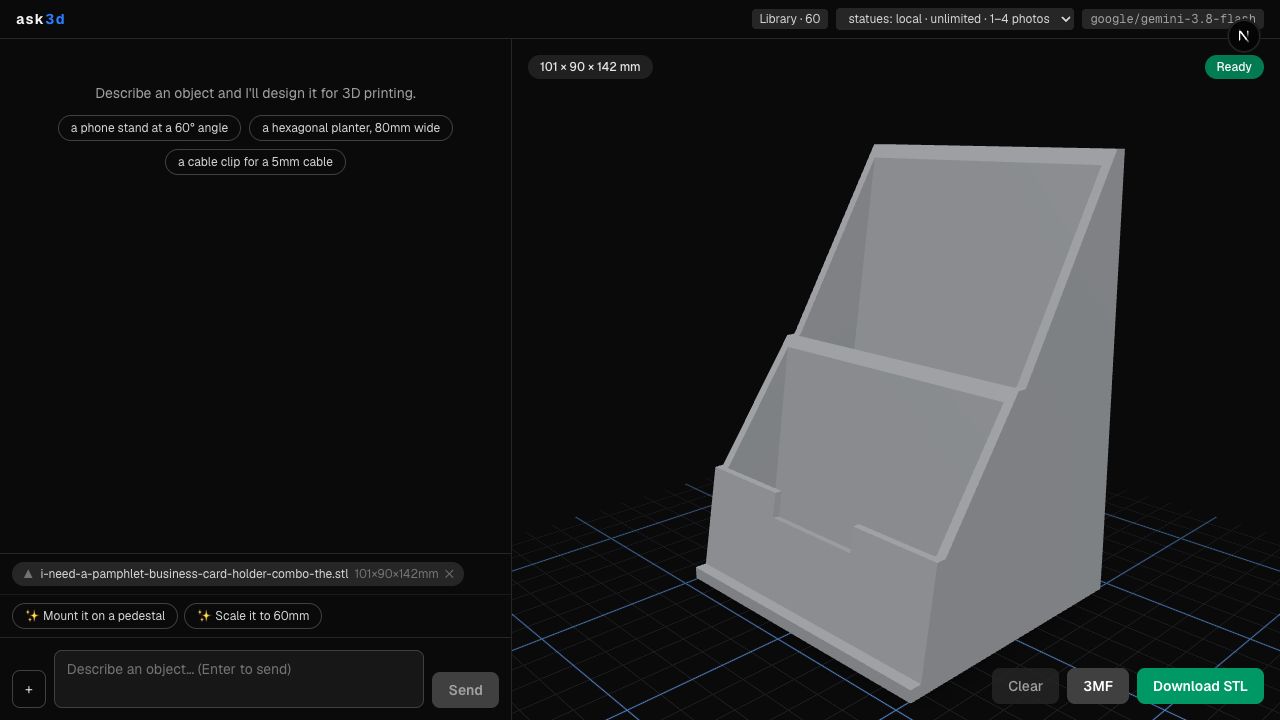
The interactive example began with a pamphlet and business-card holder. The request specified the dimensions of the pamphlet and the need to hold standard business cards. A follow-up refined the smaller holder.
That back-and-forth is the product: describe an object, inspect what the software made, and ask for a concrete change.
A model is more than a picture
In the OpenSCAD workflow, AI produces code that describes geometry. OpenSCAD compiles it in the browser through WebAssembly. The resulting mesh appears in a 3D preview and can be exported.
Separating those stages makes the result inspectable. A convincing explanation from a model is not evidence that the geometry compiled or that the object will fit its intended use.
The object on this portfolio is real
The interactive preview below displays an STL exported from Ask3D’s saved library. Its dimensions are approximately 101 × 79 × 142 mm. Rotation and wireframe inspection happen locally in your browser.
This preview doesn’t generate a fresh design when you move the model. It shows the actual saved result, so you can examine the geometry yourself.
Keep the output open to inspection
Generating code is one stage of a design tool. Compilation, error feedback, orientation, dimensions, and export are the stages that turn it into something useful.
A successful compile still leaves physical questions: material, wall thickness, support, tolerances, and printer settings. Those need evaluation for the intended print.