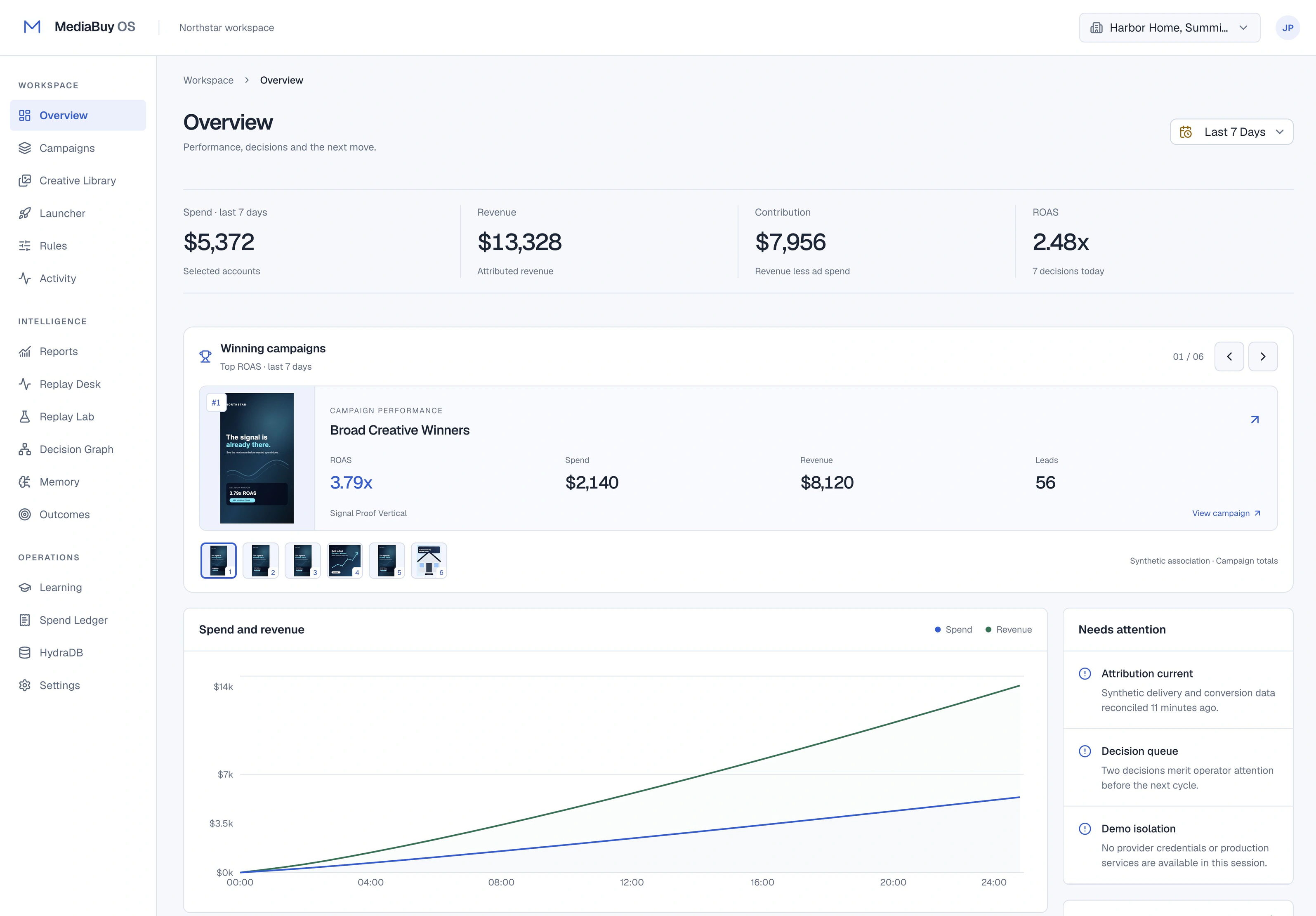
See across accounts
A media buyer needs to move between account performance, campaign details, creative work, and the decisions made along the way. MediaBuy OS puts those tasks into a shared workspace.
The portfolio overview is the entry point. The next question is what to do with the information—and how to explain that decision later.
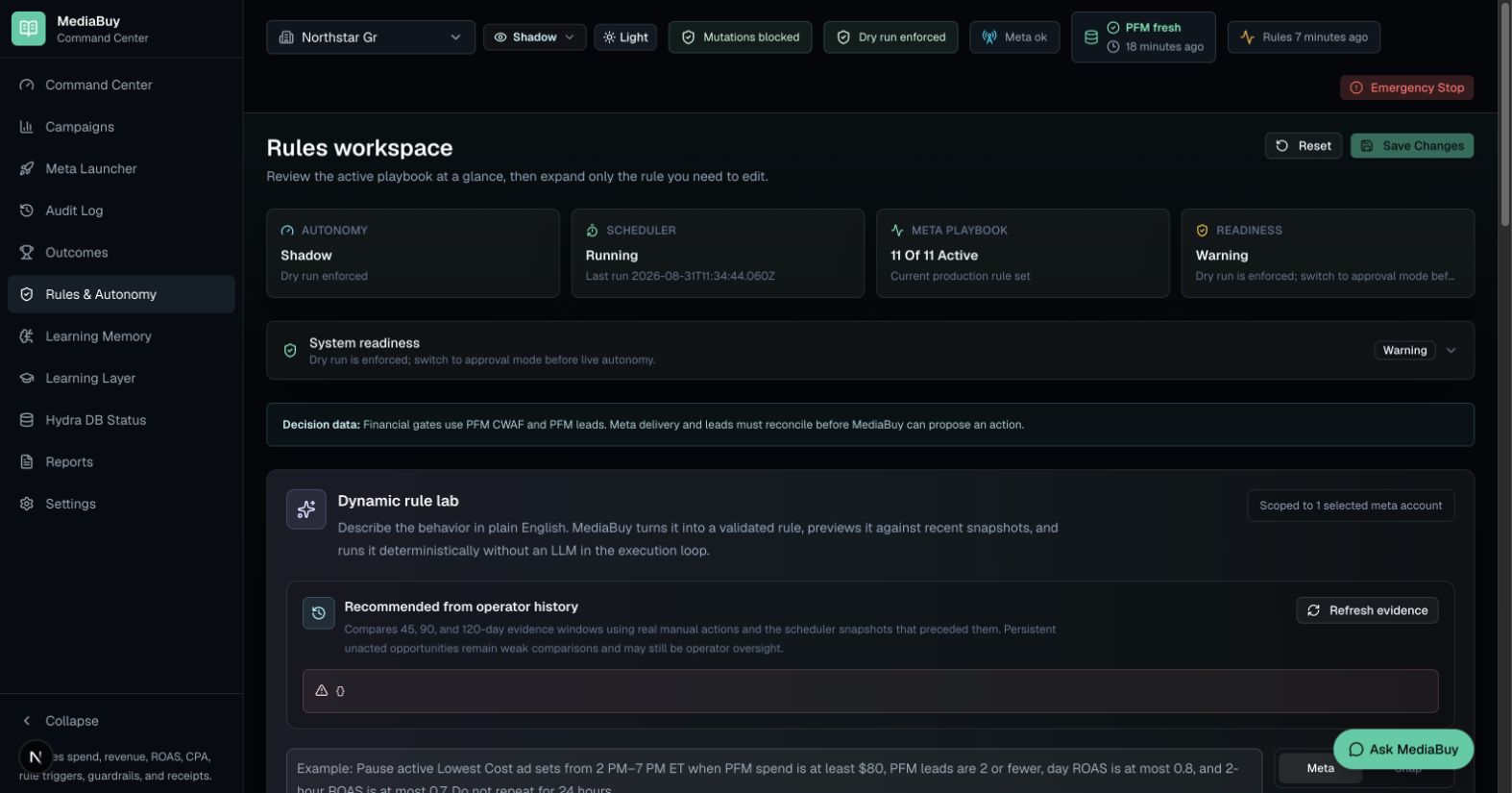
Make operating rules inspectable
The rules workspace exposes the playbook and the current operating mode. Reviewing a rule includes understanding its inputs, its conditions, and whether the system is allowed to act.
Shadow mode evaluates behavior without making live changes. Approval controls and an action ledger provide a place to review decisions before they become account changes.
Keep the reasoning attached to the action
Audit records and before-and-after state help connect a change to the conditions under which it was made. Replay provides a way to examine rule behavior against recorded snapshots.
That distinction matters for the interface: a recommendation, an approved action, and an observed provider result are different states. They should be visible as different states.
A portfolio example, with clear limits
The images on this site use demonstration data. They illustrate the software, not advertising returns or a promise of improved campaign performance.
The project spans the operator interface, rule evaluation, integrations, and observability. Production behavior depends on the connected account, provider permissions, operating mode, and configured policy.